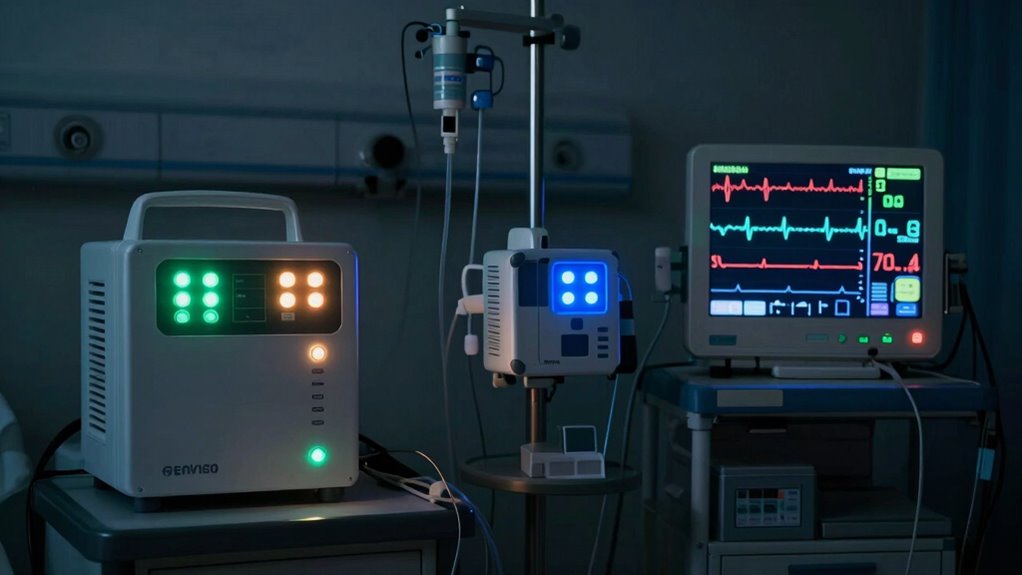
During outages, your critical medical devices can stop working or become unreliable, risking patient safety. To avoid this, verify backup systems like UPS or generators are tested and ready to switch on when needed. Regular maintenance and staff training help make the shift seamless, reducing downtime. Understanding each device’s power needs and keeping spare parts on hand are vital for quick repairs. Stay prepared—there’s more you need to know to keep everyone safe during a power failure.

Get garden gear delivered free — and shop member deals
- Fast, free delivery on millions of items
- Access to Prime Big Deal Days deals on October 6–7
- Prime Video, Amazon Music and more included
Key Takeaways
- Ensure all critical medical devices have functioning backup power sources like UPS or generators.
- Regularly test and maintain backup systems to ensure reliable operation during outages.
- Understand each device’s power needs to select appropriate backup solutions and plan transitions.
- Train staff on emergency power protocols to enable quick, safe switching during outages.
- Keep spare batteries, fuses, and essential components readily available for quick repairs.
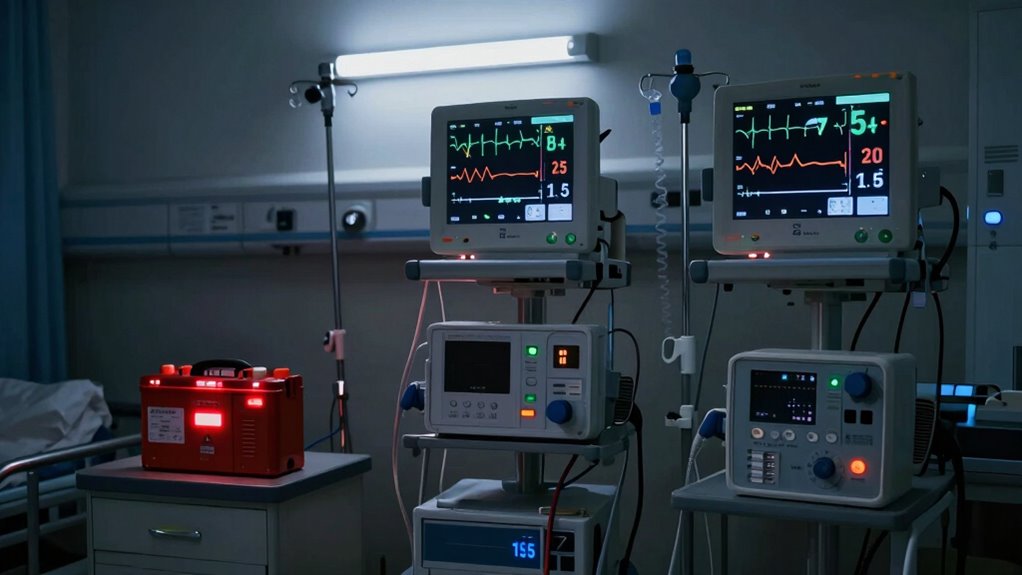
During power outages or other disruptions, medical devices can become unreliable or stop functioning altogether, posing serious risks to patient safety. It’s essential that you’re prepared for these situations by having a dependable power backup system in place. A power backup, such as an uninterruptible power supply (UPS) or backup generator, guarantees that critical devices continue to operate without interruption. Without it, life-support systems, infusion pumps, ventilators, and monitoring equipment may shut down unexpectedly, putting patients at immediate risk. Regularly testing and maintaining your power backup is crucial to guarantee it functions correctly when needed. Device maintenance also plays an indispensable role here. Routine inspections, calibration, and functional checks help identify potential issues before outages occur, ensuring devices are ready to perform under stress. Neglecting maintenance can lead to unexpected failures during emergencies, which could be catastrophic.
Implementing redundant systems can further enhance reliability by providing multiple layers of backup in case one system fails. You should create a clear plan that includes the location and operation of backup power systems, so staff members can quickly access and activate them when power is lost. Training everyone involved on how to switch to backup power safely and efficiently minimizes downtime and confusion. It’s also wise to keep spare batteries, fuses, and other essential components handy, especially for portable or battery-operated devices. Remember, some medical devices rely heavily on consistent power, and any interruption can compromise patient safety. As a result, you must prioritize their upkeep and ensure that backup systems are always ready to kick in seamlessly.
Furthermore, understanding the specific power requirements of each device helps you determine the appropriate backup solutions. For example, life-support equipment often demands continuous, stable power, so investing in generators with sufficient capacity is key. For less critical devices, a UPS might suffice for short-term outages, giving staff a window to switch to alternative power sources or manually intervene. Keep detailed records of device maintenance schedules, backup system tests, and any repairs performed. Regular documentation helps you stay organized and guarantees compliance with safety standards and regulations. In emergencies, quick access to well-maintained power backup and properly functioning devices can make all the difference.
Ultimately, your goal is to minimize disruptions and safeguard patient well-being during outages. By focusing on diligent device maintenance, investing in reliable power backup, and training staff on emergency protocols, you create a safer environment. Being proactive in these areas guarantees that when the lights go out, your medical devices continue to support patient care without compromise.
medical device backup power supply
As an affiliate, we earn on qualifying purchases.
As an affiliate, we earn on qualifying purchases.
Frequently Asked Questions
How Can I Identify Backup Power Options for My Medical Devices?
You can identify backup power options for your medical devices by checking their labels or user manuals for compatible battery types and power sources. Contact the manufacturer or supplier to confirm available backup solutions like uninterruptible power supplies (UPS), batteries, or generators. Keep track of the device’s power requirements, and regularly test your backup systems to guarantee they’re ready when needed. Always have a plan for quick access to backup power sources during outages.
What Are Legal Requirements for Emergency Preparedness With Medical Devices?
You must comply with legal requirements for emergency preparedness, including having a contingency plan for medical devices during outages. Failing to do so could expose you to liability considerations if a patient’s safety is compromised. Make certain your facility follows local and federal regulations, maintains backup power systems, and trains staff on emergency procedures. Staying ahead of these legal standards isn’t just smart—it’s essential to protect your patients and avoid legal trouble when disaster strikes.
How Often Should I Test My Backup Power Systems?
You should test your backup power systems at least monthly to make certain everything works properly. During these tests, check your battery maintenance to confirm the batteries are charged and in good condition. Also, verify that power surge protection is active to prevent damage to your medical devices. Regular testing helps you identify issues early, so you’re prepared to keep your devices running smoothly during an outage.
Are There Specific Guidelines for Storing Spare Batteries for Devices?
Think of spare batteries as the lifeblood of your medical devices—you need them ready to flow when needed. Store spare batteries in a cool, dry place away from metal objects and direct sunlight to guarantee storage safety. Regular battery maintenance, like checking expiration dates and rotating stock, keeps them reliable. By following these guidelines, you ensure your backup power remains effective, so your devices stay operational during power outages.
What Training Should Caregivers Receive for Device Management During Outages?
You should receive training on device troubleshooting and emergency protocols to manage your patient’s medical devices during outages. This includes understanding how to recognize device malfunctions, perform basic troubleshooting steps, and switch to backup power sources if needed. You’ll also learn how to follow emergency protocols to guarantee patient safety, communicate effectively during outages, and know when to seek professional help. Regular drills help reinforce this essential knowledge.
Conclusion
Remember, just like a lighthouse guides ships safely through storms, knowing how to manage medical devices during outages keeps your health on course. When the power’s out, it’s easy to feel lost or helpless—like a boat adrift in darkness. But with proper preparation and awareness, you can navigate these moments confidently. Stay informed, have backup plans, and make certain your devices are ready—because in any blackout, your health’s safety depends on your readiness.
Fall Picks
fall essentials
As an affiliate, we earn on qualifying purchases.