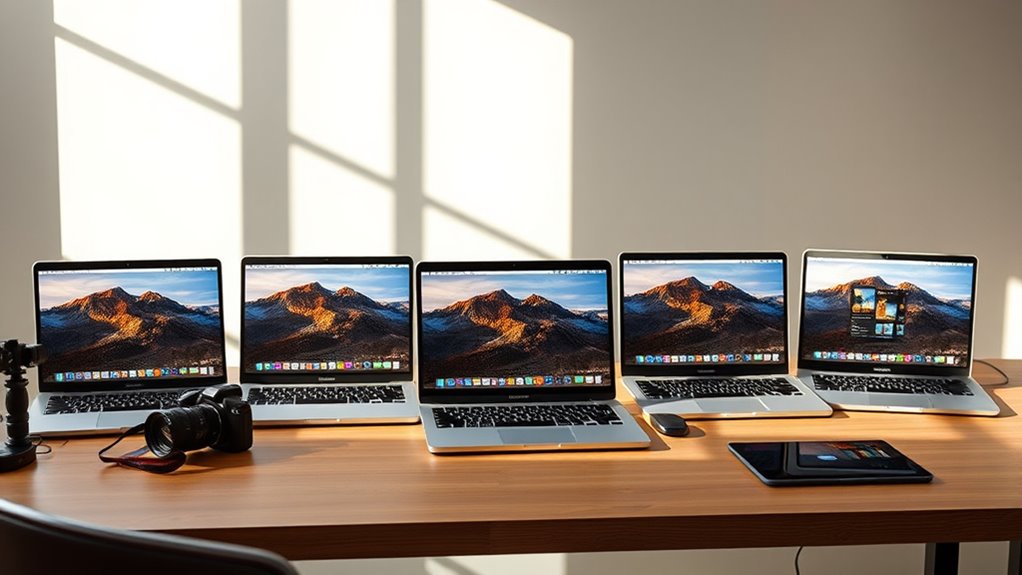

Choosing a MacBook Pro for photography and Lightroom means balancing editing speed, screen space, memory, storage, and how much laptop weight you want to carry. My leading pick is the 16-inch M5 Max: it pairs a large XDR screen with 36GB of memory and a 2TB SSD, a useful combination for large catalogs and layered work. For a compact performance-focused option, the 14-inch M5 Max with 64GB offers substantially more memory in a smaller chassis, though the listing does not state its SSD capacity. The 14-inch M5 with 1TB is the sensible everyday choice for photographers who want current-generation hardware without stepping up to a Max configuration.

Get garden gear delivered free with Prime
- Fast, free delivery on millions of items
- Prime Video, Amazon Music and more included
- Member-only deals all year
The tradeoffs are practical rather than abstract. A bigger display makes image review and panel layouts more comfortable, while a smaller 14-inch model is easier to pack for shoots. More memory gives demanding catalogs, Photoshop, and other apps extra room, but storage capacity and the condition of an older renewed model deserve equal attention. I rank these five by how well their stated specifications support real Lightroom work, while weighing portability, memory, storage clarity, and the risks attached to older or renewed hardware.
Complete the kit


Key Takeaways
- The 16-inch M5 Max is my strongest all-around choice for Lightroom when a large editing canvas, 36GB memory, 2TB SSD, and support for up to four external displays matter more than keeping weight low.
- The 14-inch M5 Max has the lineup’s highest stated memory at 64GB and a 40-core GPU, but its missing SSD capacity makes it harder to recommend as a complete photo-library machine.
- The 14-inch M5 with 16GB memory and a 1TB SSD is the best fit for many photographers who want current-generation hardware and built-in SDXC import without paying for Max-level graphics.
- The M2 Pro model provides 1TB of storage and a strong 12-core CPU, but 16GB memory and an older chip make it less suited to the heaviest multitasking than the M5 choices.
- The renewed 2021 M1 Pro is the lower-generation option with 32GB memory; buyers should weigh that memory advantage against its 512GB SSD, older platform, and renewed condition.
| Apple 2026 MacBook Pro 16.2-inch Laptop with M5 Max Chip (18-Core CPU, 32-Core GPU), 36GB Unified Memory, 2TB SSD – Space Black |  | Best Overall for Lightroom | Display: 16.2-inch Liquid Retina XDR, up to 1600 nits peak brightness | Chip: Apple M5 Max | CPU / GPU: 18-core CPU / 32-core GPU | VIEW ON AMAZON | See Our Full Breakdown |
| Apple MacBook Pro 14-inch with M5 Max, 18-Core CPU, 40-Core GPU, and 64GB Memory |  | Best Compact Powerhouse | Display: 14-inch Liquid Retina XDR | Chip: M5 Max | CPU / GPU: 18-core CPU / 40-core GPU | VIEW ON AMAZON | See Our Full Breakdown |
| Apple 14.2-inch MacBook Pro with M5, 10-core CPU and GPU, 16GB Memory, 1TB SSD, Space Black |  | Best Current-Generation Everyday Pick | Display: 14.2-inch Liquid Retina XDR | Chip: Apple M5 | CPU / GPU: 10-core CPU / 10-core GPU | VIEW ON AMAZON | See Our Full Breakdown |
| Apple MacBook Pro 14.2-inch Laptop (M2 Pro 12-Core Chip, 16GB Unified Memory, 1TB SSD) – Space Gray |  | Best Older-Generation 1TB Option | Display: 14.2-inch Liquid Retina XDR | Processor: Apple M2 Pro, 12-core CPU | GPU: 19-core GPU | VIEW ON AMAZON | See Our Full Breakdown |
| Apple 2021 MacBook Pro 14-inch M1 Pro Chip, 32GB RAM, 512GB SSD – Space Gray (Renewed) |  | Best Renewed High-Memory Option | Condition: Renewed | Display: 14.2-inch Liquid Retina XDR | Processor: Apple M1 Pro, 8-core | VIEW ON AMAZON | See Our Full Breakdown |
| macbook pro for photographers and lightroom | Display | Storage | Memory | Chip |
|---|---|---|---|---|
| Apple 2026 MacBook Pro 16.2-in | 16.2-inch Liquid Retina XDR, up to 1600 nits peak brightness | 2TB SSD | — | Apple M5 Max |
| Apple MacBook Pro 14-inch with | 14-inch Liquid Retina XDR | Not specified in the provided listing | 64GB | M5 Max |
| Apple 14.2-inch MacBook Pro wi | 14.2-inch Liquid Retina XDR | 1TB SSD | 16GB unified memory | Apple M5 |
| Apple MacBook Pro 14.2-inch La | 14.2-inch Liquid Retina XDR | 1TB SSD | 16GB unified memory | — |
| Apple 2021 MacBook Pro 14-inch | 14.2-inch Liquid Retina XDR | 512GB SSD | 32GB | — |
More Details on Our Top Picks
Apple 2026 MacBook Pro 16.2-inch Laptop with M5 Max Chip (18-Core CPU, 32-Core GPU), 36GB Unified Memory, 2TB SSD – Space Black
I rank this 16-inch M5 Max first because its configuration is the most complete match for a photographer who wants one machine for editing, storage, and external-screen work. The 16.2-inch Liquid Retina XDR display gives Lightroom’s image area and editing panels more breathing room than either 14-inch model. Its stated 36GB of unified memory and 2TB SSD also make it easier to keep a substantial catalog, previews, and active projects on the laptop without immediately leaning on external drives.
The M5 Max’s 18-core CPU and 32-core GPU are aimed at heavy creative work, and the listing says it supports up to four external displays through three Thunderbolt 5 ports, HDMI, and SDXC. For a photographer who alternates between field edits and a multi-monitor desk, that flexibility is more useful than simply having a fast chip. Compared with the 14-inch M5 Max, this model has a larger screen and clearly stated 2TB storage, although it has less listed memory and a 32-core rather than 40-core GPU.
The drawback is that 4.73 pounds is a real carrying commitment, particularly for travel days when camera bodies and lenses already fill a bag. Its Max-class specifications may also be more computing capacity than a photographer needs for basic culling, routine RAW adjustments, and occasional exports. I would skip it if low weight is the main goal or if most work involves modest catalogs; the 14-inch M5 is easier to justify for that pattern. For a demanding Lightroom setup where screen space and built-in storage count, this is the most balanced recommendation in the group.
Pros:- 16.2-inch XDR display gives image review and Lightroom panels more room.
- 36GB unified memory and a stated 2TB SSD suit large catalogs and concurrent creative apps.
- M5 Max with 18-core CPU and 32-core GPU is configured for demanding creative workloads.
- Three Thunderbolt 5 ports, HDMI, SDXC, and support for up to four external displays.
Cons:- At 4.73 pounds, it is the least convenient option here for frequent travel.
- Its Max-level processing may exceed what routine Lightroom edits require.
Best for: Photographers with large Lightroom catalogs who want a roomy built-in display, 2TB of stated storage, strong multitasking headroom, and a laptop that can anchor several external displays.
Not ideal for: Travel-focused photographers who prioritize a lighter bag, or casual editors whose Lightroom work does not need a Max-class chip and large display.
- Display:16.2-inch Liquid Retina XDR, up to 1600 nits peak brightness
- Chip:Apple M5 Max
- CPU / GPU:18-core CPU / 32-core GPU
- Unified memory:36GB
- Storage:2TB SSD
- Ports:3x Thunderbolt 5, MagSafe 3, HDMI, SDXC card slot, headphone jack
- External displays:Up to four
- Weight:4.73 pounds
Our verdict“I recommend the 16-inch M5 Max as the strongest all-around Lightroom workstation in this group for photographers who value screen area and stated storage over low carry weight.”
Apple MacBook Pro 14-inch with M5 Max, 18-Core CPU, 40-Core GPU, and 64GB Memory
This 14-inch configuration is the performance-first choice for photographers who want a smaller footprint without giving up a high-end chip. Its standout specification is 64GB of memory, the largest stated amount in this roundup, paired with an M5 Max, 18-core CPU, and 40-core GPU. That mix gives a Lightroom user who keeps a large catalog open alongside Photoshop, browser tabs, and other creative tools more memory headroom than the 16GB M5 or M2 Pro configurations.
Compared with the 16-inch M5 Max, this model should be easier to fit into a camera bag, and its 40-core GPU has more stated cores than the 16-inch option’s 32-core GPU. It still provides a 14-inch Liquid Retina XDR display and a useful port selection, including HDMI, MagSafe 3, an SDXC slot, and Thunderbolt. That is a strong combination for importing images and working away from a desk, though the smaller screen leaves less room for full-size images and tool panels.
My hesitation is the listing’s incomplete storage information. It does not specify SSD capacity, and the display resolution is described as malformed in the supplied product details. For a photo laptop, unknown internal storage is not a minor omission: RAW files, previews, and working catalogs can consume space quickly. I would only choose this over the 16-inch model after confirming the exact SSD configuration. If portability plus memory headroom is the priority and the drive is adequate, it is the standout compact workstation; if a known 2TB SSD and a larger screen matter more, the 16-inch M5 Max is the safer pick.
Pros:- 64GB memory is the highest stated capacity in this roundup.
- M5 Max pairs an 18-core CPU with a 40-core GPU.
- 14-inch XDR screen and SDXC card slot suit mobile import and editing.
- Includes HDMI, MagSafe 3, headphone jack, and Thunderbolt connectivity.
Cons:- The product details do not specify SSD capacity.
- The listed display resolution appears malformed, so buyers should verify the exact configuration.
- The 14-inch screen offers less Lightroom workspace than the 16-inch M5 Max.
Best for: Mobile professionals who need a 14-inch chassis, unusually high stated memory, and Max-class graphics for Lightroom alongside other demanding creative apps.
Not ideal for: Buyers who need clearly stated internal storage before choosing, or photographers who prefer a larger workspace for detailed image review.
- Display:14-inch Liquid Retina XDR
- Chip:M5 Max
- CPU / GPU:18-core CPU / 40-core GPU
- Memory:64GB
- Storage:Not specified in the provided listing
- Wireless:Wi-Fi 7, Bluetooth 6
- Camera and audio:12MP Center Stage camera; six-speaker system with Spatial Audio
- Ports:Thunderbolt 4 or 5, HDMI, MagSafe 3, SDXC card slot, headphone jack
Our verdict“I would pick this compact M5 Max for its 64GB memory only after confirming the SSD capacity and display details with the seller.”
Apple 14.2-inch MacBook Pro with M5, 10-core CPU and GPU, 16GB Memory, 1TB SSD, Space Black
For many photographers, this 14.2-inch M5 is the most straightforward choice. It has a current-generation M5 chip, 16GB unified memory, and a clearly stated 1TB SSD, a balanced configuration for importing, culling, editing, and keeping a working set of photographs on the laptop. The built-in SDXC slot makes camera-card transfers less fiddly, while HDMI and three Thunderbolt 4 ports help it connect to an external monitor or other equipment.
Compared with the M5 Max choices, this model has a 10-core CPU and 10-core GPU, so it is not the option I would select for the heaviest batch processing, complex layered composites, or memory-intensive multitasking. But its strengths are better aligned with everyday Lightroom use than the Max configurations are for many buyers. It also avoids the M2 Pro’s older chip generation and the renewed M1 Pro’s condition uncertainty. The 1TB drive is an especially useful point of difference against the 14-inch M5 Max listing, which leaves storage capacity unstated.
The limitations are 16GB memory and a 3.41-pound chassis. Photographers who keep several large apps active or routinely work with huge image sets may prefer the higher-memory M5 Max or the 16-inch model’s 36GB. It is also listed to support up to two external displays, fewer than the M5 Max 16-inch’s four. I would not treat it as a featherweight travel laptop, but for an everyday photo workflow with a known 1TB SSD and a bright XDR screen, this is the most balanced mainstream configuration here.
Pros:- M5 chip offers a current-generation platform for everyday editing and exports.
- 1TB SSD provides clearly stated local space for a working photo library.
- Bright 14.2-inch Liquid Retina XDR display and built-in SDXC card slot.
- Three Thunderbolt 4 ports, HDMI, MagSafe 3, and support for up to two external displays.
Cons:- 16GB memory is less headroom than the 36GB and 64GB M5 Max configurations.
- At 3.41 pounds, it is not the lightest option for regular travel.
- External-display support is lower than the 16-inch M5 Max model.
Best for: Photographers who want a current-generation 14-inch MacBook Pro for routine Lightroom work, with a known 1TB SSD, SDXC import, and a bright built-in display.
Not ideal for: Users who regularly handle exceptionally large catalogs with several creative apps open, or who need four external displays and the highest GPU capability.
- Display:14.2-inch Liquid Retina XDR
- Chip:Apple M5
- CPU / GPU:10-core CPU / 10-core GPU
- Memory:16GB unified memory
- Storage:1TB SSD
- Peak brightness:Up to 1600 nits
- Ports:Three Thunderbolt 4, MagSafe 3, SDXC, HDMI, headphone jack
- Weight:3.41 pounds
Our verdict“I see the 14-inch M5 with 1TB storage as the best everyday Lightroom fit for photographers who want a modern, balanced setup rather than Max-level capacity.”
Apple MacBook Pro 14.2-inch Laptop (M2 Pro 12-Core Chip, 16GB Unified Memory, 1TB SSD) – Space Gray
This 14.2-inch M2 Pro is a reasonable middle path for a photographer who wants more than an entry-level chip and a full 1TB SSD, but does not need an M5 Max configuration. Its 12-core CPU and 19-core GPU are listed for demanding creative tasks, while the Liquid Retina XDR display and SDXC slot support a familiar photo workflow: import, review, edit, and move files to a second screen or external storage as needed.
Against the 14-inch M5, the M2 Pro has a stated 12-core CPU and a 19-core GPU rather than the M5’s 10-core CPU and 10-core GPU, but it belongs to an older chip generation and still has only 16GB of unified memory. The M5 model’s more recent platform and listed 1TB SSD make it a stronger everyday recommendation for buyers choosing between these two, while the M2 Pro can remain appealing when its specific configuration suits a buyer’s needs. Compared with the renewed M1 Pro, the M2 Pro listing offers 1TB rather than 512GB storage, but the M1 Pro has twice the stated memory at 32GB.
The main compromise is that the configuration provides little memory headroom for a photographer who keeps Lightroom, Photoshop, and other demanding applications open together. The listing also does not spell out external-display support or detailed brightness figures, so buyers with a multi-monitor setup should verify those points. I would choose it for a moderately demanding photo workflow where 1TB matters, but move to the M5 Max models for heavier multitasking, or the M5 for a newer all-round configuration.
Pros:- 12-core M2 Pro CPU and 19-core GPU are aimed at demanding creative workloads.
- 1TB SSD gives a defined amount of internal room for active photo projects.
- 14.2-inch Liquid Retina XDR display and SDXC card reader suit editing and imports.
- Wi-Fi 6E and Bluetooth 5.3 are specified.
Cons:- 16GB unified memory is lower than the 32GB renewed M1 Pro and both M5 Max options.
- Older M2 Pro generation is less current than the listed M5 configurations.
- The provided details do not state external-display support.
Best for: Photographers seeking a 14-inch XDR MacBook Pro with a 1TB SSD and a Pro-tier chip for moderate-to-demanding Lightroom work.
Not ideal for: Users who need high memory capacity, the newest listed chip generation, or fully specified multi-display support.
- Display:14.2-inch Liquid Retina XDR
- Processor:Apple M2 Pro, 12-core CPU
- GPU:19-core GPU
- Memory:16GB unified memory
- Storage:1TB SSD
- Wireless:Wi-Fi 6E
- Bluetooth:Bluetooth 5.3
- Card reader:SDXC
Our verdict“I would choose the M2 Pro when its 1TB SSD and Pro-tier graphics fit a moderate Lightroom workload, but the M5 is the more current everyday option.”
Apple 2021 MacBook Pro 14-inch M1 Pro Chip, 32GB RAM, 512GB SSD – Space Gray (Renewed)
This renewed 2021 14-inch MacBook Pro earns its place because its 32GB of RAM gives it a meaningful advantage over the 16GB M5 and M2 Pro configurations for keeping multiple creative apps open. For photographers who prioritize memory headroom over having the newest chip, that can make the stated configuration more compelling than the generation gap suggests. It also has a 14-inch Liquid Retina XDR display and HDMI, Wi-Fi 6, Bluetooth, and three listed USB ports.
Compared with the M2 Pro, this M1 Pro has twice the stated memory but half the storage: 512GB SSD versus 1TB. That distinction matters for Lightroom because a large catalog, previews, and active RAW files can quickly crowd a smaller internal drive. The newer M5 models bring more recent chips and listed SDXC slots; the supplied M1 Pro details do not list an SDXC reader, so a card-reader adapter may be part of the workflow. Its 8-core processor is also a more modest foundation than the 12-core M2 Pro or M5 Max chips.
Renewed condition adds another layer of uncertainty. The listing states a limited warranty, but the unit may show signs of prior use, and I would verify the seller’s condition definition, battery coverage, and return terms before buying. The stated display resolution also looks inconsistent with the product description, so I would confirm the exact screen details. This is not my first choice for a new long-term Lightroom workstation; it is a targeted pick for someone who values 32GB memory and accepts older hardware, a 512GB drive, and renewed-device variability.
Pros:- 32GB RAM provides more stated memory than the M5 and M2 Pro 16GB configurations.
- 14.2-inch Liquid Retina XDR display is suited to image review.
- Includes HDMI, Wi-Fi 6, Bluetooth, and three listed USB ports.
- The M1 Pro configuration offers a higher-memory alternative to the 16GB M2 Pro.
Cons:- Renewed condition can vary, and the listing only specifies a limited warranty.
- 512GB SSD may fill quickly with RAW files, previews, and catalogs.
- Older M1 Pro generation and 8-core processor trail the newer chip options.
- Supplied details do not list an SDXC card slot and show a questionable resolution figure.
Best for: Budget-conscious photographers who want 32GB memory in a 14-inch MacBook Pro and are comfortable checking the condition and support details of a renewed unit.
Not ideal for: Buyers who want a new, current-generation laptop, a large internal photo drive, or a clearly specified built-in SDXC reader.
- Condition:Renewed
- Display:14.2-inch Liquid Retina XDR
- Processor:Apple M1 Pro, 8-core
- Memory:32GB
- Storage:512GB SSD
- Graphics:Integrated Apple M1 Pro graphics
- Connectivity:Wi-Fi 6, Bluetooth, HDMI, three listed USB ports
- Warranty:Limited; verify seller terms
Our verdict“I would consider this renewed M1 Pro only when 32GB memory is the priority and the buyer accepts the older platform, smaller SSD, and condition checks.”

How We Picked
I ranked these MacBook Pro configurations for a specific job: editing still photographs in Lightroom, importing from camera cards, sorting and developing large batches, and sometimes moving into Photoshop or other creative apps. I gave the most weight to the combination of memory, chip capability, display size, and stated storage. A powerful processor matters for responsive edits and export work, but it does not compensate for a drive that is too small for a growing catalog or for memory that feels cramped when several creative apps are open.
I also considered how each computer fits a photographer’s routine. The built-in SDXC card slot on the newer models and the listed M2 Pro helps simplify imports; a bright XDR screen is useful for reviewing fine image detail, though a laptop display does not remove the need for a calibrated workflow when color-critical delivery matters. Port count, external-display support, weight, and wireless generation affect whether a model works better as a mobile editing station or a desk-based hub.
The ranking reflects the details provided, not assumptions about unlisted configurations. That matters especially for the 14-inch M5 Max, whose storage capacity is not specified, and for the renewed M1 Pro, where condition and warranty can vary by seller and unit. I do not treat raw chip generation as the only measure of value: an older model with 32GB memory may fit a multitasking workflow better than a newer base-memory option, while an M5 model with 1TB storage may be the more balanced purchase for a photographer who travels. I favor models with a well-rounded stated configuration and call out where buyers need to verify details before ordering.
| macbook pro for photographers and lightroom | Chip |
|---|---|
| Apple 2026 MacBook Pro 16.2-in | Apple M5 Max |
| Apple MacBook Pro 14-inch with | M5 Max |
| Apple 14.2-inch MacBook Pro wi | Apple M5 |
| Apple MacBook Pro 14.2-inch La | — |
| Apple 2021 MacBook Pro 14-inch | — |
Factors to Consider When Choosing Macbook Pro For Photographers And Lightroom
I would choose a Lightroom laptop by matching its configuration to my catalog size and editing habits, rather than buying the largest chip name available. The practical questions are how much memory I need, how much of my working library should live on the internal drive, and whether a 14-inch or 16-inch screen better fits my workday.
Memory: match capacity to multitasking
Memory matters most when Lightroom is not working alone. A 16GB configuration can suit routine editing and culling, particularly when I close other demanding applications and keep older projects on external storage. Photographers who run Lightroom Classic alongside Photoshop, large layered files, browser research, and other creative software may benefit from more headroom. In this lineup, the 14-inch M5 Max lists 64GB, the 16-inch M5 Max lists 36GB, and the renewed M1 Pro lists 32GB; the M5 and M2 Pro options list 16GB each.
Those numbers do not make every 32GB or 64GB machine automatically better for every photographer. The 16-inch M5 Max pairs 36GB with a stated 2TB SSD and a larger screen, which makes it a more complete workstation configuration. The 14-inch M5 Max has the highest memory figure but leaves storage unspecified. I would weigh memory together with drive size and the applications I actually keep open.
Storage: leave room for catalogs and active shoots
RAW files, Lightroom catalogs, previews, exports, and backups all compete for storage. An SSD also holds the files I want available while traveling, so capacity affects convenience as much as archive management. The two clearly stated 1TB options are the 14-inch M5 and M2 Pro; the 16-inch M5 Max lists 2TB, while the renewed M1 Pro has 512GB. The 14-inch M5 Max listing does not state capacity, so I would verify it before treating that configuration as a photo-library purchase.
I do not assume that internal storage has to hold an entire archive. A photographer with a reliable external SSD and a deliberate backup plan can keep only current jobs on the laptop. Still, 1TB is a more comfortable starting point for many active workflows than 512GB, while 2TB gives the 16-inch M5 Max more room to keep working files local. External drives should supplement a backup plan, not serve as the only copy of irreplaceable images.
Display size and color workflow
A 16.2-inch XDR screen gives Lightroom more room for the image, filmstrip, and editing panels without making every control feel crowded. That is one reason the 16-inch M5 Max ranks first for desk-based editing. The 14-inch models are more compact and easier to carry, but I would expect to adjust panel layouts more often or connect an external display when doing detailed, extended sessions.
Bright, high-contrast displays help when reviewing image detail and working in varied lighting, but specifications alone do not establish a complete color-managed workflow. Photographers delivering color-critical work should calibrate their display and check their output on the intended viewing devices. A laptop’s vivid screen can make an image look appealing while still calling for careful calibration before client delivery or print production.
Chip choice: pay for the work you do
The M5 Max configurations are the clear performance tier in this comparison, with the 16-inch model pairing an 18-core CPU and 32-core GPU with 36GB memory, and the 14-inch model listing an 18-core CPU, 40-core GPU, and 64GB memory. That capacity makes the most sense for photographers who combine large edits with other demanding creative work or want more room for sustained multitasking. Lightroom-only users doing routine adjustments may not benefit enough to justify choosing a Max configuration over the standard M5.
The M5 is the more balanced current-generation pick here, with 16GB memory and 1TB storage. The M2 Pro remains a specified 12-core CPU and 19-core GPU option, but it has 16GB memory and belongs to an older chip generation. The renewed M1 Pro has 32GB memory, though its 8-core processor and renewed status call for a different set of tradeoffs. I would make the chip the deciding factor only after checking memory, storage, and condition.
Ports, card imports, and external monitors
A built-in SDXC card slot is a practical advantage for camera-to-laptop imports, especially when I am sorting files between locations. It appears in the listings for the M5, M2 Pro, and both M5 Max models. The renewed M1 Pro details do not mention an SDXC slot, so I would plan on checking the actual configuration or carrying a reader rather than assuming one is built in.
For a home editing desk, ports can reduce adapter clutter. The M5 and M5 Max listings include HDMI, MagSafe 3, and Thunderbolt connections, while the 16-inch M5 Max specifically lists support for up to four external displays. The 14-inch M5 is listed for up to two. If I depend on multiple monitors, I would confirm the exact support for the model and configuration before purchase; the M2 Pro and renewed M1 Pro details provided here do not give a display-count figure.
Portability and buying an older or renewed model
The 14-inch models suit photographers who edit on location or carry a laptop with camera equipment. The M5 is listed at 3.41 pounds, while the 16-inch M5 Max weighs 4.73 pounds. A larger screen may be more comfortable for long editing sessions, but that benefit comes with more weight in a travel bag. I would choose the screen size around the places I actually edit: a desk-based photographer can make better use of the 16-inch workspace, while a frequent traveler may value the smaller footprint.
Older and renewed configurations need closer checks. Before choosing the 2021 M1 Pro, I would verify the seller’s condition description, warranty, return policy, and battery-related terms, as well as the stated screen and ports. For any listing with incomplete details, especially the 14-inch M5 Max’s SSD capacity, I would confirm the exact configuration rather than filling gaps with assumptions. These checks matter as much as the chip label when the laptop will hold active client work.
Frequently Asked Questions
Which MacBook Pro in this comparison is best for Lightroom?
I rank the 16-inch M5 Max first for photographers who want the most complete workstation configuration: a large XDR display, 36GB memory, a stated 2TB SSD, and support for up to four external displays. The 14-inch M5 is a better fit for everyday editing when I want a more compact model and do not need Max-level capacity. If portability and memory are the priority, the 14-inch M5 Max is compelling, but I would verify its SSD size first.
Is 16GB of memory enough for Lightroom?
For routine Lightroom work such as importing, culling, and editing a manageable number of images, 16GB can be a workable configuration. I would look toward 32GB or more if I regularly keep Lightroom, Photoshop, large layered documents, and many other applications open together. In this group, the 16GB M5 and M2 Pro models suit more focused workflows, while the M5 Max and renewed M1 Pro provide more stated memory headroom.
Should I choose a 14-inch or 16-inch MacBook Pro for photo editing?
I would choose 14 inches when carrying the laptop to shoots, travel, or cafés matters more than a large built-in editing canvas. A 16-inch screen gives Lightroom panels and the image itself more room, which can make extended editing sessions more comfortable, especially without an external monitor. In this lineup, the 16-inch M5 Max is the larger-screen option, while the three 14-inch configurations provide smaller footprints with different memory, storage, and chip tradeoffs.
How much SSD storage should a photographer choose?
I would start by estimating the size of the active catalog, current projects, previews, and exports I want stored locally, then leave additional room for new shoots. The M2 Pro and M5 models list 1TB, the 16-inch M5 Max lists 2TB, and the renewed M1 Pro lists 512GB. An external SSD can hold older projects and backups, but I would not leave a photo archive with only one copy. The 14-inch M5 Max listing does not give an SSD capacity, so I would confirm that before buying.
Is a renewed M1 Pro MacBook Pro a good Lightroom choice?
It can suit a photographer who values the listed 32GB memory and accepts a 2021 chip, a 512GB SSD, and renewed-unit variability. That memory amount is higher than the M5 and M2 Pro configurations in this comparison, but the older processor and smaller drive are meaningful compromises. I would check the seller’s condition and warranty terms, confirm the ports and display details, and compare the total workflow needs against the newer 14-inch M5 with 1TB storage before deciding.
Conclusion
My recommendation depends on how Lightroom fits into your work. For a desk-based photographer with a large catalog, I would choose the 16-inch M5 Max: its larger XDR screen, 36GB memory, 2TB SSD, and four-display support make it the most complete photo workstation here. For a mobile professional who needs high memory in a smaller laptop, I would look at the 14-inch M5 Max, but only after confirming its SSD capacity and the display details in the listing.
For a photographer seeking a balanced current-generation laptop, the 14-inch M5 with 16GB memory and a 1TB SSD is my practical everyday pick. The M2 Pro makes sense for someone who wants its 12-core CPU, 19-core GPU, and 1TB drive but does not need the newest generation. I would reserve the renewed M1 Pro for buyers who specifically value 32GB memory and are comfortable verifying condition, warranty, and storage limits. Choose around your catalog and travel habits, not just the highest chip specification.