To cut paper use in daily life, switch to digital tools like note-taking apps, digital calendars, and cloud storage for documents. Opt for electronic receipts and digitize important files to minimize printing. Unsubscribe from unnecessary emails, set up filters, and organize your digital files regularly. Avoid printing when possible and choose recycled paper if you do. Keep your digital life tidy and efficient—more tips to help you stay eco-friendly and organized lie ahead.

Get garden gear delivered free — and shop member deals
- Fast, free delivery on millions of items
- Access to Prime Big Deal Days deals on October 6–7
- Prime Video, Amazon Music and more included
Key Takeaways
- Switch to digital note-taking and use apps like Evernote or Notion for all your reminders and ideas.
- Opt for electronic receipts and bills to reduce paper clutter and support sustainability.
- Digitize important documents through scanning and store them securely in cloud services.
- Use digital calendars and task managers to track appointments and deadlines instead of paper planners.
- Practice regular digital decluttering by reviewing and organizing files to maintain a paperless workflow.
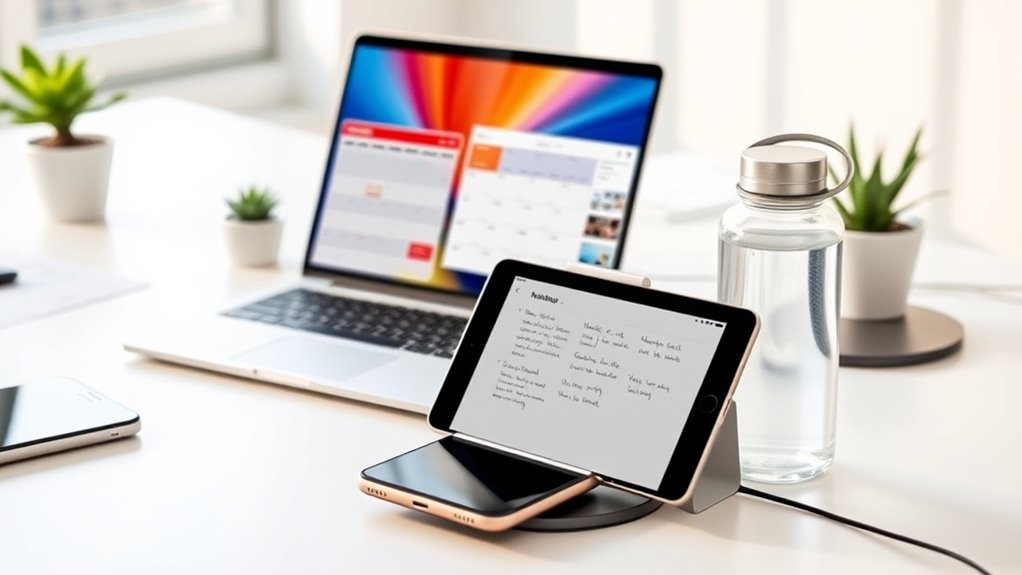
Are you ready to simplify your life and reduce clutter? Going paperless is a smart move that can save you time, space, and even help the environment. To start, focus on digital organization. Keeping your files, documents, and notes neatly arranged on your devices makes it easier to find what you need without sifting through stacks of paper. Use cloud storage services like Google Drive, Dropbox, or OneDrive to store important files securely and access them from any device. Create clear folder structures and naming conventions so you can quickly locate documents without wasting time. This not only declutters your physical space but also streamlines your digital life, making everyday tasks more efficient. Incorporating mindfulness into your digital routines can help you stay focused and intentional about your organization habits.
Implementing eco-friendly practices is another essential aspect of going paperless. Opt for digital receipts whenever possible, whether for shopping, dining, or other transactions. Many stores and restaurants now offer email or app-based receipts, which reduce paper waste and help you keep track of your expenses digitally. Replace traditional paper notebooks with note-taking apps like Evernote, Notion, or OneNote. These apps allow you to organize your thoughts, create checklists, and store important information without clutter. When you do need to print, consider using recycled paper or double-sided printing to minimize waste. Additionally, you can digitize important documents by scanning them with your smartphone or a dedicated scanner, then storing them securely online. Incorporating digital storage solutions can further enhance your ability to manage documents effectively.
Embracing digital organization also involves managing your emails efficiently. Unsubscribe from unnecessary mailing lists and set up filters to prioritize essential messages. Use digital calendars and task managers to stay on top of appointments and deadlines. This reduces the need for paper planners and sticky notes, keeping your workspace tidy and environmentally conscious. When reviewing your documents, be aware that spoiled lemon juice can cause confusion during digital record keeping, so ensure your digital files are accurate and well-organized. By making these conscious choices, you’ll considerably cut down on paper use and contribute to eco-friendly practices.
Transitioning to a paperless lifestyle might seem intimidating at first, but it quickly becomes second nature. The key is to stay consistent and be mindful of your habits. Regularly declutter your digital files, back up important data, and stay disciplined about avoiding unnecessary printing. Incorporating cloud storage and digital organization habits can help streamline your workflow and reduce clutter. Over time, you’ll notice a cleaner space, a more organized digital life, and the satisfaction of reducing your environmental footprint. Going paperless isn’t just about decluttering — it’s about adopting habits that promote sustainability, efficiency, and peace of mind in your daily routine.
digital note-taking app for organizing
As an affiliate, we earn on qualifying purchases.
As an affiliate, we earn on qualifying purchases.
Frequently Asked Questions
How Can I Securely Store Digital Documents?
To securely store digital documents, you should use reliable cloud storage services that offer encryption security. Make sure to enable two-factor authentication for added protection and regularly update your passwords. Avoid sharing sensitive files over unsecured networks. Back up important documents to multiple locations, like an external drive, to prevent data loss. By combining these practices, you keep your digital documents safe and easily accessible whenever you need them.
What Are the Best Apps for Managing Paperless Notes?
It’s no coincidence that apps like Evernote and OneNote top the list for managing paperless notes. They let you capture digital handwriting easily, organize your ideas seamlessly, and sync effortlessly across devices. With cloud storage options integrated into these apps, you can access your notes anytime, anywhere. These tools streamline your workflow, making it simple to go paperless and stay productive without clutter or lost information.
How Do I Reduce Paper Waste at Work?
To reduce paper waste at work, you can implement office recycling programs and encourage digital collaboration. Use electronic documents instead of printing, share files online, and adopt cloud storage. Set up recycling bins clearly labeled for paper disposal, and promote eco-friendly habits among coworkers. By prioritizing digital tools and recycling, you help minimize waste, save resources, and foster a greener office environment.
Are There Eco-Friendly Alternatives to Traditional Paper?
You might think eco-friendly options are costly, but recycled paper and biodegradable stationery prove otherwise. These alternatives are just as functional and help reduce environmental impact. Using recycled paper for printing and biodegradable stationery for notes makes a difference. You can easily incorporate them into your routine, showing your commitment to sustainability without sacrificing convenience or quality. Embrace these greener choices and support a healthier planet today.
How Can I Ensure My Digital Files Are Backed up Safely?
To guarantee your digital files are backed up safely, you should use a reliable cloud backup service that offers automatic, regular updates. Make sure to choose encryption methods to protect your data from unauthorized access. Additionally, consider storing copies on external drives for extra security. Regularly check your backups to confirm they’re complete and accessible, giving you peace of mind that your files are safe no matter what happens.
Conclusion
By embracing these paperless tips, you’ll turn your daily habits into a breeze of sustainability. Think of reducing paper use as planting seeds for a greener tomorrow—each small change grows into a forest of impact. So, take charge today, and let your efforts ripple outward, making a difference one sheet at a time. With every step, you’re not just saving trees—you’re carving out a cleaner, brighter future for everyone.
Fall Picks
fall essentials
As an affiliate, we earn on qualifying purchases.