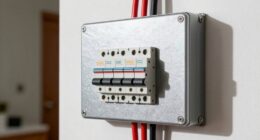
When preparing for power outages, you should back up circuits that keep your home safe and functional first. Focus on your refrigerator, medical devices, and communication lines, as they prevent health hazards, prevent food spoilage, and maintain contact with emergency services. Prioritizing these guarantees vital systems stay active and your household remains safe and comfortable. For a deeper understanding of how to set up your emergency power plan, keep exploring these essential tips.
Key Takeaways
- Prioritize circuits powering essential appliances like refrigerators and medical devices to maintain safety and health during outages.
- Identify critical circuits using your home’s breaker panel labels or diagrams for quick access.
- Use transfer switches or generators to selectively backup essential circuits and prevent overloads.
- Focus on circuits that support communication lines to stay connected during emergencies.
- Regularly review and test your backup plan to ensure critical circuits are protected and ready when needed.
Understanding vital circuits is fundamental to grasping how electronic devices work. When a power outage hits, knowing which circuits to back up first can make all the difference in maintaining safety and comfort. It’s a wise move to prioritize backup plans for essential systems, like refrigerators, medical devices, and communication lines, to guarantee your household remains functional and secure during outages. By understanding your home’s electrical setup, you can better prepare for emergencies and avoid unnecessary hazards.
Prioritize critical circuits like refrigerators and medical devices to ensure safety and comfort during power outages.
One key aspect of handling power outages is guaranteeing circuit breaker safety. Circuit breakers act as gatekeepers, protecting your wiring and appliances from overloads and short circuits. When the power returns after an outage, a sudden surge can damage devices or cause fires if the breakers aren’t reset properly. Learning how to safely operate your circuit breaker panel helps prevent accidents and keeps your backup systems functioning smoothly. Always turn off or reset breakers carefully, following manufacturer instructions, and never bypass safety features. Proper circuit breaker safety not only safeguards your equipment but also protects you from electrical shocks or fires.
Power outage preparedness involves more than just having backup sources; it requires understanding which circuits are essential and how to energize them efficiently. Start by identifying circuits that power critical appliances and systems—think about your refrigerator, heating and cooling, medical devices, and communication lines. These should be your top priority because they directly impact your health, safety, and daily routines. Once identified, consider installing a transfer switch or a generator that can be connected to these circuits specifically. This targeted approach minimizes the risk of overloading your system and guarantees a stable power supply for your essentials.
Knowing what to back up first also involves understanding your home’s electrical layout. Often, your circuit breaker panel will have labels or diagrams indicating which breaker controls each circuit. Familiarize yourself with this layout so you can quickly isolate and prioritize critical circuits during an outage. This knowledge allows you to act swiftly and confidently, reducing downtime and stress. In addition, maintaining a well-stocked emergency kit, including flashlights, batteries, and a portable power source, complements your electrical preparedness efforts.
Frequently Asked Questions
How Often Should I Update My Backup Procedures?
You should update your backup schedule at least quarterly, or more often if your data changes frequently. Regular updates guarantee your backups stay current, minimizing data loss. Consider security considerations too—use encrypted backups and secure storage methods. Review your procedures after major updates or system changes, and stay aware of new threats. Staying proactive helps keep your data safe and your backup plan reliable in any situation.
What Are the Best Tools for Backing up Essential Circuits?
Your backup tools should be as dependable as a fortress guarding priceless treasures. For critical circuits, focus on tools that integrate circuit protection and robust backup strategies. Consider using hardware-based solutions like NAS devices or cloud services such as Backblaze or Acronis, which guarantee your data stays safe even during power surges or failures. These tools help you safeguard essential circuits, keeping your operations running smoothly no matter what.
Can I Automate My Backup Process Effectively?
Yes, you can automate your backup process effectively using automation strategies and scheduling techniques. Set up automatic backups with reliable software that allows you to schedule regular backups at specific times, ensuring your essential circuits are always protected without manual effort. Use incremental backups to save time and storage, and monitor your backups periodically to confirm they’re working correctly. This way, you maintain data integrity effortlessly.
What Are Common Mistakes to Avoid During Backups?
Imagine your data as a fragile glass sculpture—drop it, and it shatters. Avoid common mistakes by not neglecting redundant storage, which acts like multiple protective layers. Always verify your backups to catch errors before disaster strikes. Rushing through backups or skipping verification risks losing essential files. Keep your process thorough, double-check your work, and guarantee redundancy; this keeps your precious data safe and sound, ready when you need it most.
How Do I Restore Circuits Quickly After Failure?
To restore circuits quickly after a failure, start by checking for a power outage or circuit overload. Reset circuit breakers one at a time, making certain no overloads are present. If a breaker trips repeatedly, identify and fix the cause before resetting again. Keep a backup plan ready, such as portable generators or temporary wiring, to minimize downtime. Regular maintenance and quick troubleshooting help ensure swift recovery.
Conclusion
Now that you know which circuits to back up first, you’re better prepared for unexpected outages. Imagine losing your home’s internet and security systems—without a backup, you’ll face downtime and stress. Prioritizing critical circuits like your Wi-Fi and alarm system ensures you stay connected and safe. By backing up these essential circuits first, you protect your peace of mind and crucial functions, making unexpected power issues much less overwhelming.