
TL;DR

Get garden gear delivered free with Prime
- Fast, free delivery on millions of items
- Prime Video, Amazon Music and more included
- Member-only deals all year
Prebuilt AI workstations now often match or beat DIY on price thanks to component shortages and bulk buying. They save time, reduce risk, and come with support, but lack customization. Your decision hinges on workload, budget, and how much effort you want to put in.
Imagine plugging in a machine, turning it on, and instantly diving into your AI project. No fuss, no fussing with BIOS, drivers, or compatibility. That’s the promise of a prebuilt AI workstation in 2026. But is it worth the premium? Or does building your own still hold appeal? This isn’t just about saving a few dollars anymore. It’s about weighing speed, support, customization, and control—especially as component shortages drive prices sky-high. Whether you’re a hobbyist, researcher, or startup, your choice shapes your workflow, your budget, and your learning curve.
In this guide, I’ll break down the real differences, with vivid examples, concrete data, and honest advice. You’ll learn when a prebuilt makes sense, when building is better, and how to make either choice work for your specific AI workload.
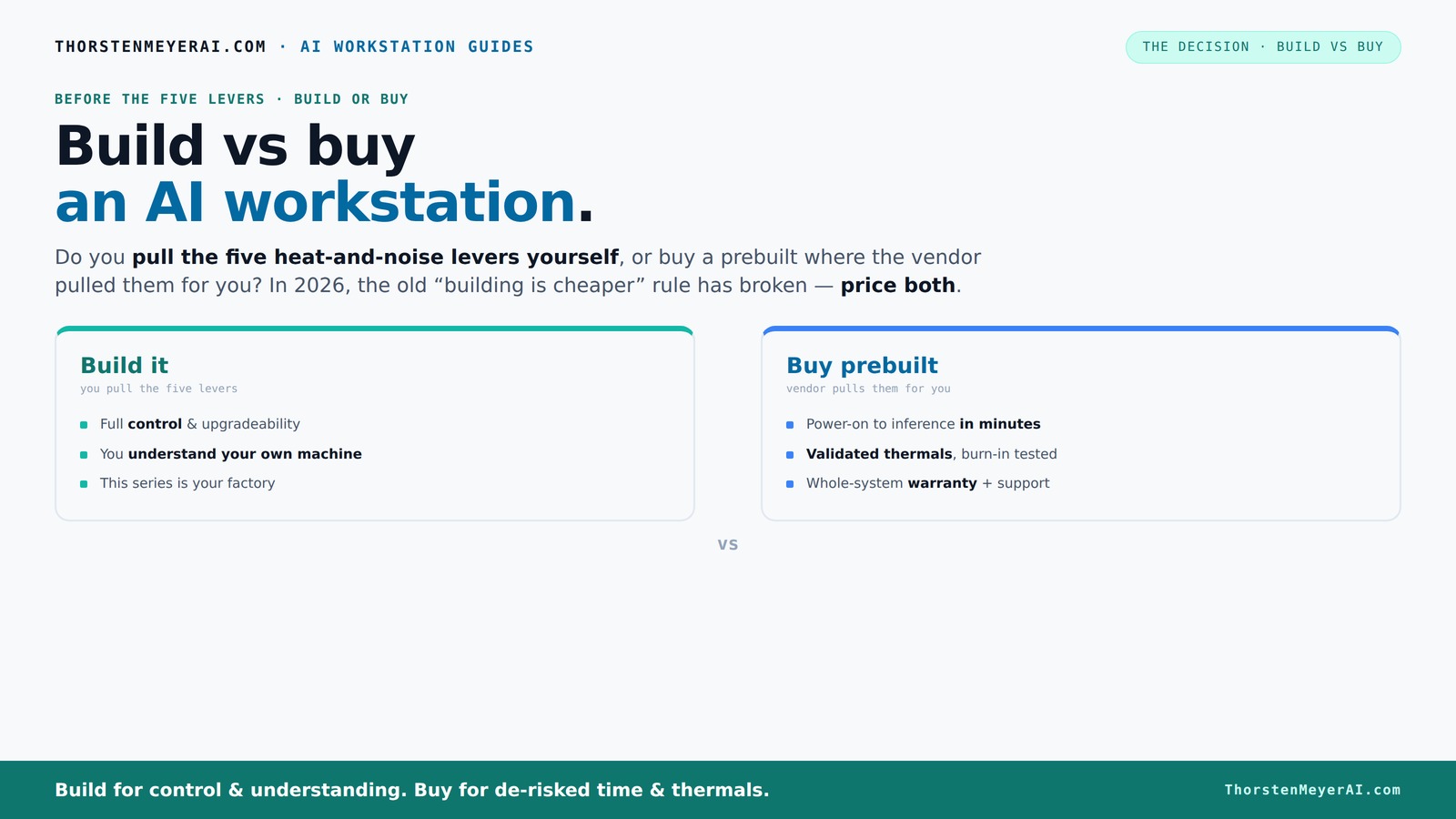
Build vs buy
an AI workstation.
The real question behind this whole series: do you pull the five heat-and-noise levers yourself, or buy a prebuilt where the vendor pulled them for you? And in 2026, the old “building is cheaper” rule has broken. Match your situation in Part 3.
Key Takeaways
- Component shortages in 2026 make prebuilt AI workstations often as affordable or cheaper than DIY builds.
- Support, warranties, and factory-validated thermal tuning add significant value to prebuilt systems, reducing downtime and troubleshooting.
- Building offers unmatched customization and learning but demands time, patience, and technical skill.
- Hybrid approaches can balance quick deployment and future upgradeability, especially for small teams or startups.
- GPU choice, thermal management, and airflow are critical for performance, noise, and longevity in AI workstations.
As an affiliate, we earn on qualifying purchases.
Why the old rule 'build is cheaper' no longer applies in 2026
Building your own AI workstation used to be the obvious way to save money. But today, component shortages and sky-high prices flip that idea on its head. For example, a high-end GPU like the NVIDIA RTX 4090 used to cost around $1,500. Now, due to demand and shortages, it often sells for over $2,000 or more, making DIY setups pricier than before. Large vendors bought in bulk early, locking in prices and passing savings onto you. So, a prebuilt with a similar spec might cost just as much, or less, than sourcing each part individually.
This shift means you need to re-evaluate your assumptions, especially when considering build vs buy a prebuilt AI workstation. The choice isn’t just about saving money. It’s about what’s practical given current prices, availability, and your workload. The old mantra that DIY always wins on cost simply doesn’t hold in 2026.
Moreover, the tradeoff now extends beyond initial costs. Building a system during shortages can mean extended wait times, difficulty sourcing compatible parts, and increased risk of compatibility issues. These factors can lead to hidden costs—additional time, frustration, and potential delays—making the DIY path less economical than it appears on paper. Conversely, prebuilt systems often come with tested configurations that ensure stability, saving you from costly troubleshooting and downtime. So, understanding these dynamics matters because it influences your total cost of ownership and your ability to meet project deadlines.
The five levers that make or break thermal and noise performance
Making an AI workstation run cool and quiet is a juggling act. You might also explore how build vs buy a prebuilt AI workstation impacts thermal management. It’s about five key levers: undervolting the GPU, matching the right cooler, optimizing airflow, tuning fan curves, and choosing the right placement. When you buy prebuilt, the vendor pulls these levers for you. They run burn-in tests, fine-tune fans, and often include water-cooling for quieter operation. It’s a factory-tuned machine ready to handle the heat.
If you build your own, you control every lever. You can pick a quiet GPU like the NVIDIA A2000, undervolt it to reduce power and heat, select a low-noise cooler, and craft airflow with the right case and fans. This gives you a machine precisely tuned to your environment and workload—whether it’s a quiet office or a noisy warehouse. But it takes time, knowledge, and patience.
For example, a system tuned by a vendor like Lambda can run 30% cooler and quieter under sustained load than a DIY rig, thanks to expert thermal engineering validated through extensive testing [4]. This difference isn’t trivial—it impacts your system’s longevity, stability, and user comfort. Overheating can cause thermal throttling, reducing performance, while excessive noise can be distracting or even harmful over long periods. For more insights, see build vs buy a prebuilt AI workstation. The implications are clear: factory-validated thermal tuning can significantly enhance your system’s reliability and user experience, especially during intensive AI training or inference tasks. Conversely, DIY tuning offers flexibility but requires expertise and ongoing maintenance to achieve similar results, which can be a tradeoff in time and effort.
Frequently Asked Questions
Is a prebuilt AI workstation worth the extra cost?
Often yes, especially if you value quick deployment, reliable support, and proven thermal performance. Learn more about build vs buy a prebuilt AI workstation benefits. It reduces setup time and troubleshooting, letting you focus on your work.
Is it cheaper to build my own AI workstation?
Not always in 2026. Component prices have skyrocketed, and shortages push DIY costs higher. Sometimes bulk buying and vendor discounts make prebuilts just as affordable or cheaper overall.
How much performance do I lose with a prebuilt?
Modern prebuilts are often optimized for thermal efficiency and noise reduction, sometimes outperforming self-tuned DIY rigs under sustained load. To explore options, visit build vs buy a prebuilt AI workstation. But it depends on your tuning skills and component choices.
What should I prioritize: GPU, CPU, RAM, or cooling?
For AI workloads, GPU performance is king. But don’t neglect cooling—overheated components throttle performance. Balance all factors based on your workload and environment.
Will a prebuilt workstation be upgradeable later?
Many high-end prebuilts support upgrades, but some are limited by motherboard or power supply constraints. Check specs carefully if future expansion matters to you.
Conclusion
In the end, your choice hinges on what matters most: speed and support or control and customization. For more guidance, see build vs buy a prebuilt AI workstation. Both paths have their merits, but in 2026, the best decision aligns with your workload, budget, and how much you enjoy hardware tinkering. Either way, a well-chosen system can propel your AI projects to the next level.
Imagine a quiet, cool machine humming along as you train your models—whether you built it or bought it, that’s the goal. Now, go choose the path that fits your journey best.
Fall yard work Picks
leaf blowers
As an affiliate, we earn on qualifying purchases.